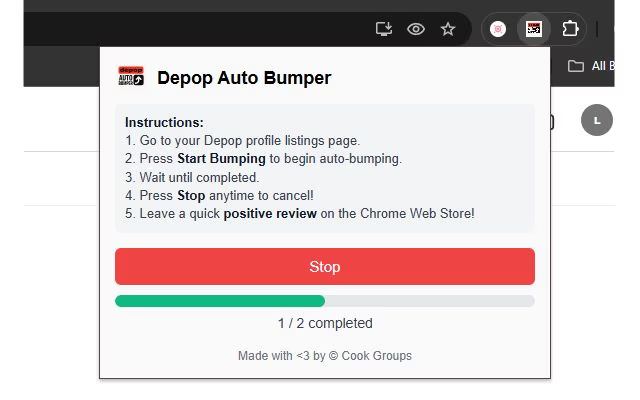
Keeping your listings visible on Depop takes constant refreshing, and most sellers would rather automate such a slow, repetitive job. That’s why Depop bumping bots have become popular with sellers who want to keep their listings getting traffic without refreshing each one by hand. A bumping bot refreshes all of your listings so they perform better in Depop’s search results. If you want something simple, safe and actually free (forever, with no sign up), the Free Depop Auto Bumper Chrome Extension is one of the easiest options. It’s a Chrome extension from the Chrome Web Store: install it, open your seller profile in Chrome and start it running.
What a Depop Bumping Bot Actually Does
At a basic level, a Depop bumping bot saves you from doing the same boring task over and over. When you “bump” an item, you edit and save the listing so it looks freshly updated to Depop’s system. The extension automates that process, so your items are refreshed without you having to go through every product. The Free Depop Auto Bumper does exactly that in your browser.
Why Sellers Like Using a Bumper Instead of Manual Bumping
Manual bumping works fine when you only have a handful of items, but it quickly becomes a chore as your shop grows. Bumping also gives older listings a second life by putting them back in front of new buyers instead of leaving them buried at the bottom of your profile.
How the Free Depop Auto Bumper Works
The Free Depop Auto Bumper is incredibly easy to set up. There’s no login and no card details. Just add it to Chrome, open your Depop shop page, open the extension and click “Start bumping”.
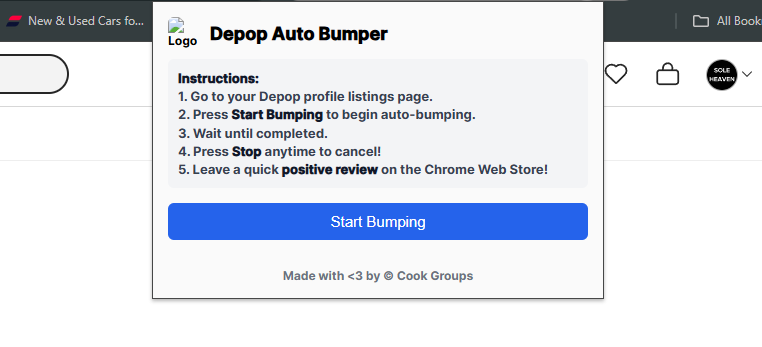
Main Features
- Refreshes all your listings in one quick batch when you click “Run.”
- No timers or scheduling, so you stay in control of when bumps happen.
- Runs directly in your browser on your Depop shop page.
- Uses the same simple edit-and-save flow sellers already use.
- Lightweight and easy to use, even for new Depop sellers.
- Fully free with no paid tiers, limits, or locked features.
If you want to try it on your own account, you can grab it here: Free Depop Auto Bumper on Chrome Web Store.
Why Bumping Still Matters on Depop
Depop’s feed and search results favour items that look active and recently updated. Buyers are usually scrolling on their phones and rarely go deep into older pages, so being nearer the top of a search makes a real difference. If you sell in competitive categories like vintage T-shirts, streetwear, or Y2K, your listings can fall down the results in just a few hours. Regular bumping keeps you circulating back to the front so people actually discover what you are selling. Automating that process simply makes it easier to stay visible without constantly checking in.
Manual Bumping vs Using a Bumping Tool
Plenty of sellers start by bumping everything by hand: open a listing, edit something small, save, and repeat. It works, but once you have more than a few dozen pieces, it quickly eats into your day. A bumping tool does the exact same thing, just without the mental load. Manual bumping can still make sense for very small closets or occasional sellers, while automation is better suited for anyone aiming for regular sales. Think of it as moving from “doing everything yourself” to letting your browser handle the repetitive bits.
| Method | Time Investment | How Reliable It Is | Who It Suits Best |
|---|---|---|---|
| Manual bumping | 10–30 minutes whenever you refresh | Depends on your routine and memory | New or casual sellers with a small number of items |
| Free Depop Auto Bumper | Just add to Chrome and go | Runs whenever you want it to | Growing and full-time shops that want steady activity |
Example Bumping Schedules You Can Try
There is no single “perfect” timing, but there are patterns that work well for most sellers. Many people bump a few times in the evening when more buyers are scrolling, then add a couple of refreshes earlier in the day. Busier niches usually need more frequent bumps than slower ones.
| Type of Shop | Number of Listings | How Often to Bump | Good Times to Focus On |
|---|---|---|---|
| Smaller wardrobe | Up to 50 items | Every 3-4 hours | Evenings and weekend afternoons |
| Growing shop | 50-200 items | Every 2-3 hours | Late afternoon to late night |
| High-volume seller | 200+ items | Every 1-2 hours during peak times | Busy evenings, weekends, and paydays |
Is It Safe to Use a Tool Like This?
As with any tool connected to your account, the key is how it behaves. Problems usually arise when software sends huge numbers of actions very quickly or tries to do things in a way a normal user never would. The Free Depop Auto Bumper avoids that by sticking closely to the same flow you would use yourself and spacing actions out sensibly. It does not try to mass follow, spam messages, or do anything that feels aggressive. In day-to-day use, it simply takes a task you are already doing and makes it easier to keep up with.
Related reading: how to ship Depop sales and the Depop fee calculator.
Getting Started With the Free Depop Auto Bumper
Getting set up is straightforward. Install the extension from the Chrome Web Store, open your Depop shop, and start bumping.